Just upgrade to Windows 11, Microsoft warns Windows 10 LTSC holdouts it’s time to move on
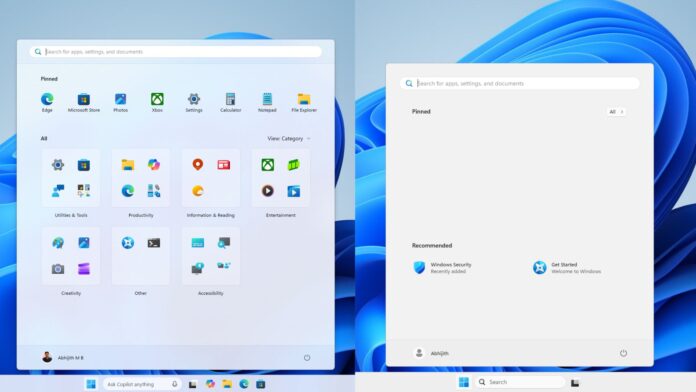
Windows 10 Enterprise LTSC 2021, not IoT Enterprise LTSC, is reaching the end of support in January 2027, as originally scheduled, and you have the option to either move to the IoT edition or pay for Extended Security Updates (ESU). But there’s also a third option, which is to install Windows 11 LTSC 2024, and Microsoft says it’s the best route you have right now.
“Windows 10 Enterprise LTSC 2021 is approaching an important milestone,” Microsoft noted in an updated support document.
If you want to remain on Windows 10 Enterprise LTSC 2021, you can choose to pay for extended updates, which can cost up to $61 for businesses. Consumers have ESU for free, but you need Windows 10 Home or Pro, not LTSC. What does Microsoft recommend doing if you’re unsure about your options? Just get Windows 11.
“However, we recommend that you upgrade to Windows 11 Enterprise LTSC 2024 for the best experience,” Microsoft noted.
Although Windows 10 is also supported via ESU, the company argues that staying on a supported version of Windows is a better move. Microsoft says Windows 11 is the most secure version of Windows.
“Upgrade to Windows 11 Enterprise LTSC 2024 for the latest security capabilities for these devices,” the company said.
When does Windows 10 Enterprise LTSC 2021 support end?
Windows 10 Enterprise LTSC 2021 will receive its final security update on January 27, 2027, and you’ll need to make a decision sooner rather than later. The company calls it a major milestone because it’s one of the widely used OS versions in the enterprise segment, while consumers typically use IoT LTSC, which has a longer support lifecycle.
You’ll be able to purchase ESU for Windows 10 Enterprise LTSC starting September 1, and it will cost $61.
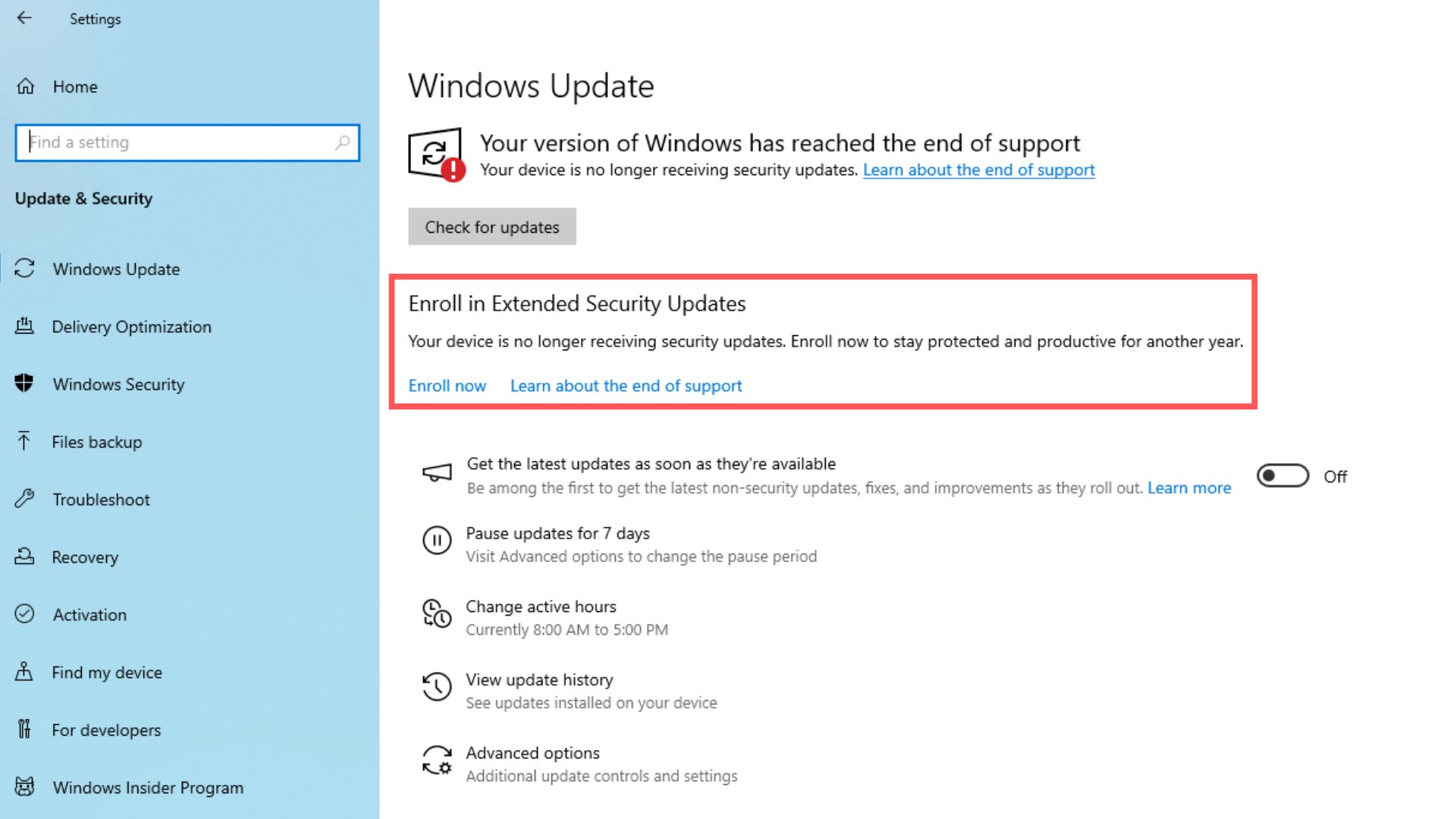
I’m told that all PCs running Windows 10, including Pro and Home, will be nudged to upgrade to Windows 11 more frequently in the coming weeks, and it’s entirely because only a single year of extended security updates now remains.
Windows 10’s extended support was supposed to end in October 2026, but given the fact that at least three in ten PCs are still running Windows 10, support has now been extended until October 2027. You have approximately one year to decide if you want to keep using Windows 10 without updates or finally upgrade to Windows 11.
If you’re using Pro or Home, you need to move to Windows 11 by October 2027, but if that doesn’t sound like a good option for you, you can actually consider an LTSC edition if you know where to download it.
What is Windows LTSC, and how good is Windows 11 LTSC compared to Windows 10?
Windows has several editions for different use cases. You have a specialized version of Windows called “IoT,” which stands for Internet of Things, and it’s used on hardware like ATMs. In addition to the usual Windows 11 Home, Pro, Enterprise, and Education editions, you have LTSC, which is designed for long-term support.
Windows LTSC is essentially a stripped-down version of the regular edition, so it does not come with apps like MSN Weather or even the modern counterparts of Notepad. You still have the classic Notepad, Calculator, and other inbox apps. You also don’t have the bloatware you’d normally find, such as Clipchamp and Microsoft Photos.
LTSC (Long-Term Servicing Channel) also gives you greater control over Windows updates, and it’s supported for a long time, up to 10 years. It’s a great edition for those who want a stable and clean Windows experience. For example, if you’ve never used an LTSC version of Windows 11, take a look at the screenshot below:
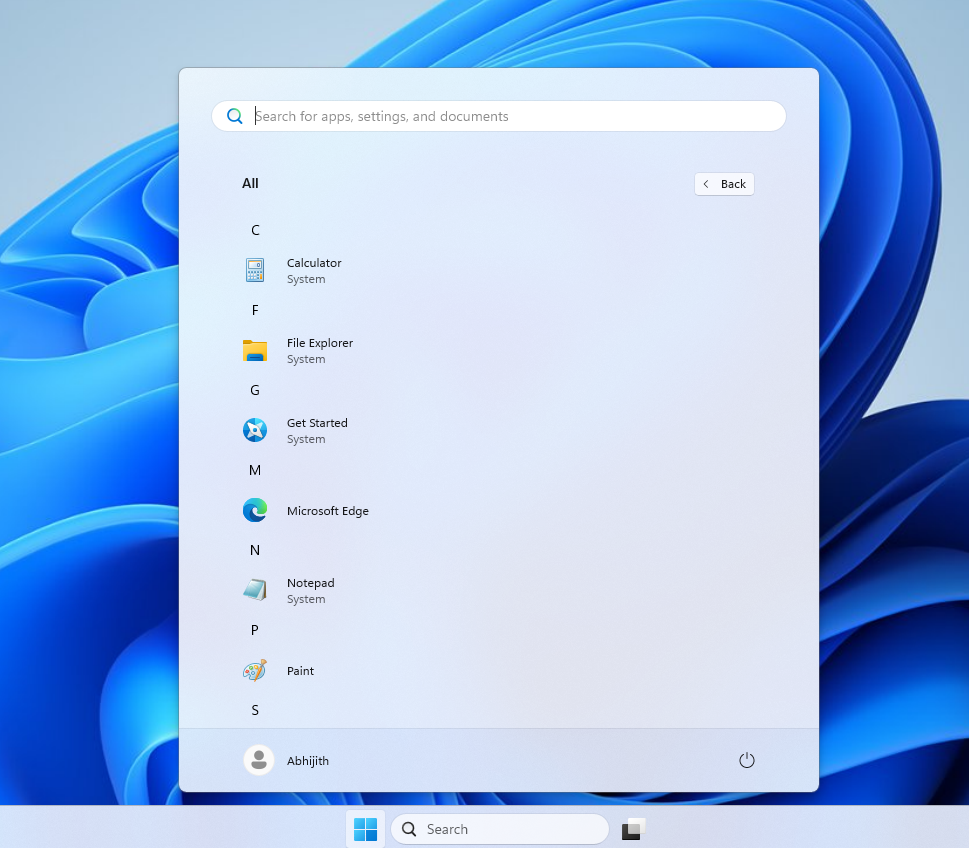 Windows 11 LTSC has only Microsoft Edge as a modern app
I could only find a single modern app pre-installed, and it’s Microsoft Edge. Some of you might even consider that bloat, but you can’t easily download another browser if you remove Edge as well. And of course, you’re not going to come across Copilot anywhere, neither in the right-click menu nor on the taskbar.
Windows LTSC ships with legacy versions of Calculator, Notepad, and MS Paint
LTSC still, and as it should, comes with Calculator, Notepad, and MS Paint, but unlike the regular version of Windows, these are the legacy versions.
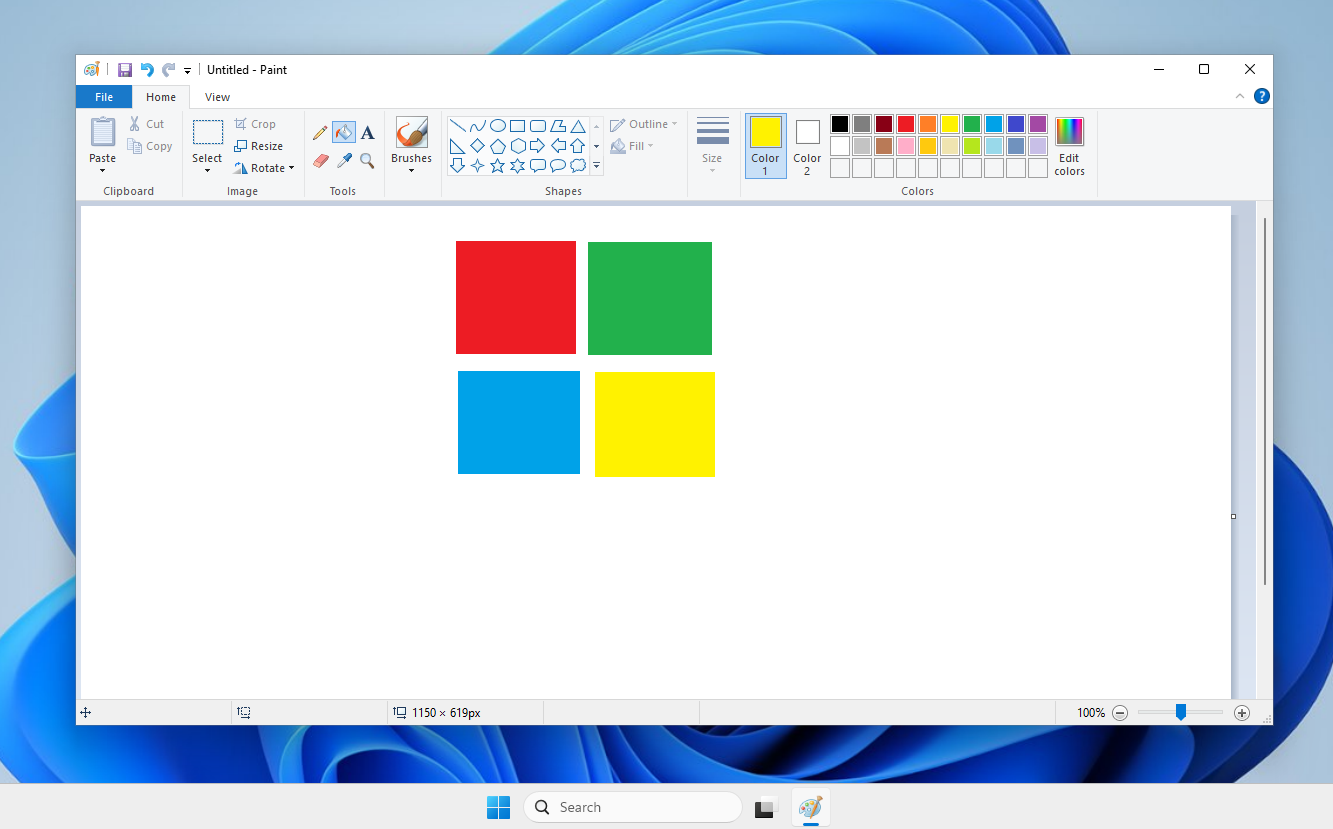 MS Paint in Windows 11 LTSC
For example, you don’t have to use the WinUI-based apps, which can often feel slower. You also don’t have Copilot in MS Paint. Notepad does not have MSA login or AI-powered writing assistants.
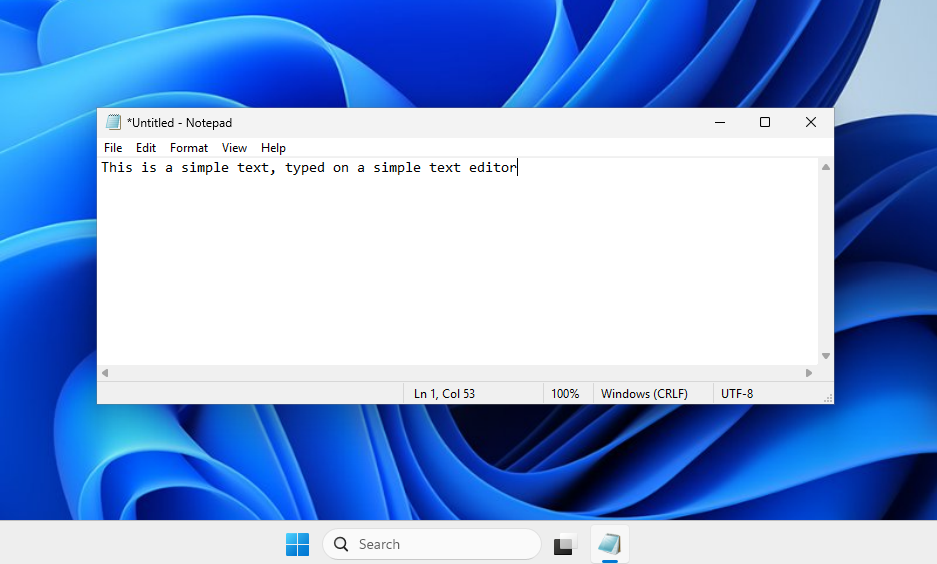 Notepad in Windows 11 LTSC
Even the Widgets board and MSN feed are not enabled on Windows 11 LTSC, and overall performance is a bit better. In terms of the experience, Windows 11 LTSC is cleaner, calmer, and feels better than the regular edition.
But how can you download it and try it yourself? Well, the good news is that Microsoft has a download portal for Windows 11 IoT Enterprise LTSC, and it’s just as easy to use as the regular version.
How to get Windows 11 LTSC
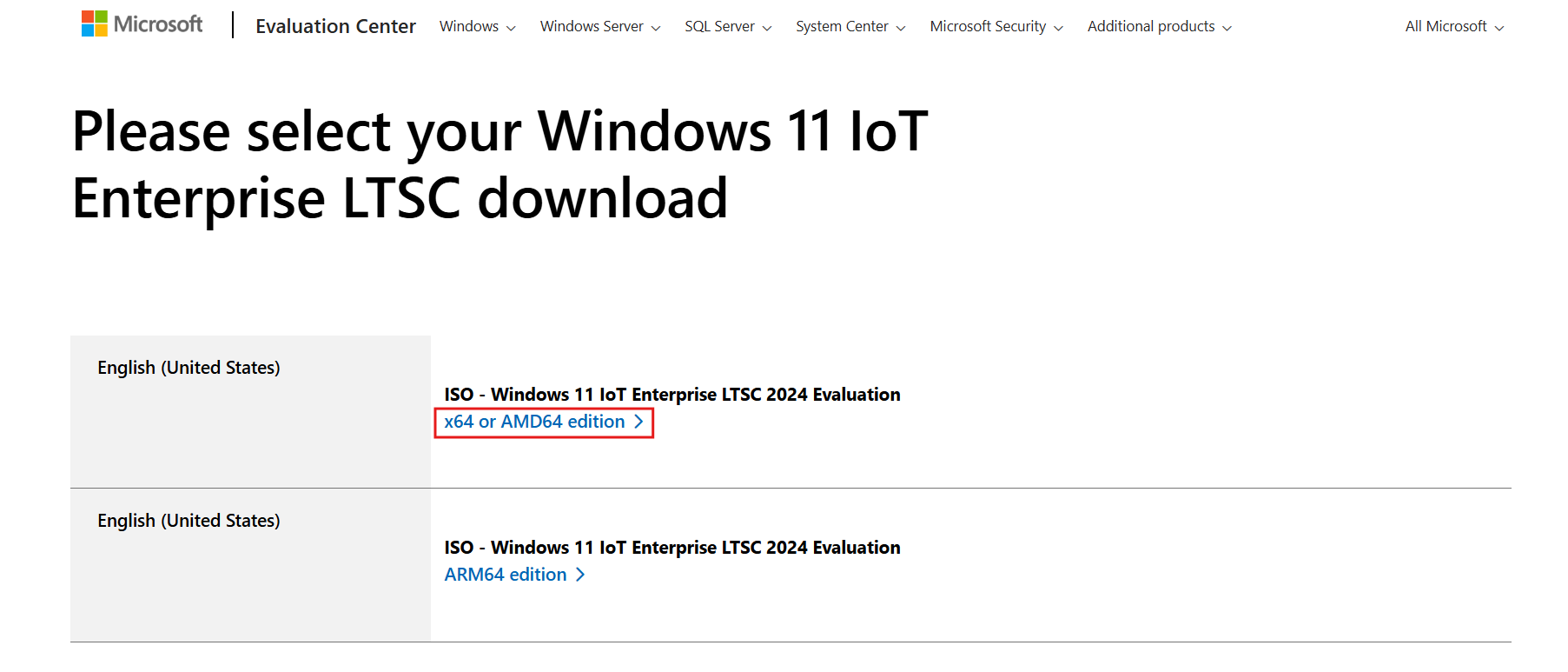 Download Windows 11 IoT Enterprise LTSC
And mount it as you normally would. You can now clean install Windows 11 LTSC, but remember that it cannot be activated without an enterprise license unless you know what to do.
I personally found Windows 11 LTSC to be just as good as Windows 10 LTSC, but of course, it doesn’t have the Windows 10 UI/UX. If that’s your preference, even LTSC will be a letdown for you.