“We’re building Copilot as a new OS,” says Satya Nadella, even as Microsoft strips it from Windows 11
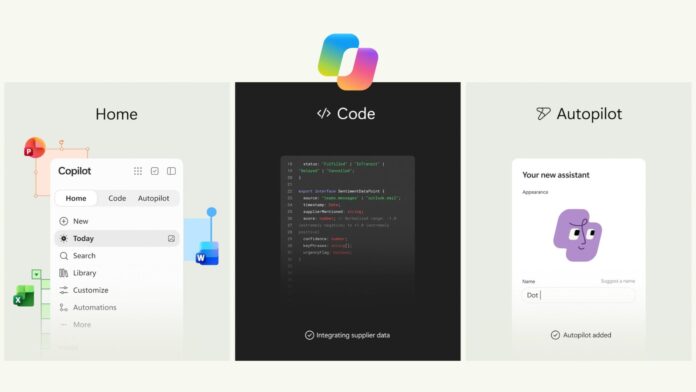 Microsoft calls Copilot a new OS for work with Home, Code, and Autopilot.
 A few hours after we wrote about Microsoft merging the Microsoft 365 Copilot and Copilot identities, CEO Satya Nadella revealed what Redmond wants this unified Copilot to become. The company unveiled its biggest Copilot update yet, bringing Home, Code, and Autopilot into one app while also adding Word, Excel, and PowerPoint inside the “super app”.
 Microsoft pitches Copilot as your new OS for work. Image: Microsoft
In his typical pragmatic style, Nadella mentioned Copilot as a “new OS for work” spanning models, devices, and tasks, and we can’t help but remember how the company pitched Windows as becoming an “agentic OS” just a year ago, which triggered a major backlash from Windows users, forcing Windows chief Pavan Davuluri to lock replies on his post.
Either Redmond has stopped caring about the backlash, like how they recently unbanned “Microslop”, or they believe Copilot is finally good enough to earn a reputation for itself.
Well, from the looks of it, it’s the latter that fits the picture, and as of writing, Nadella’s post had already crossed one million views.
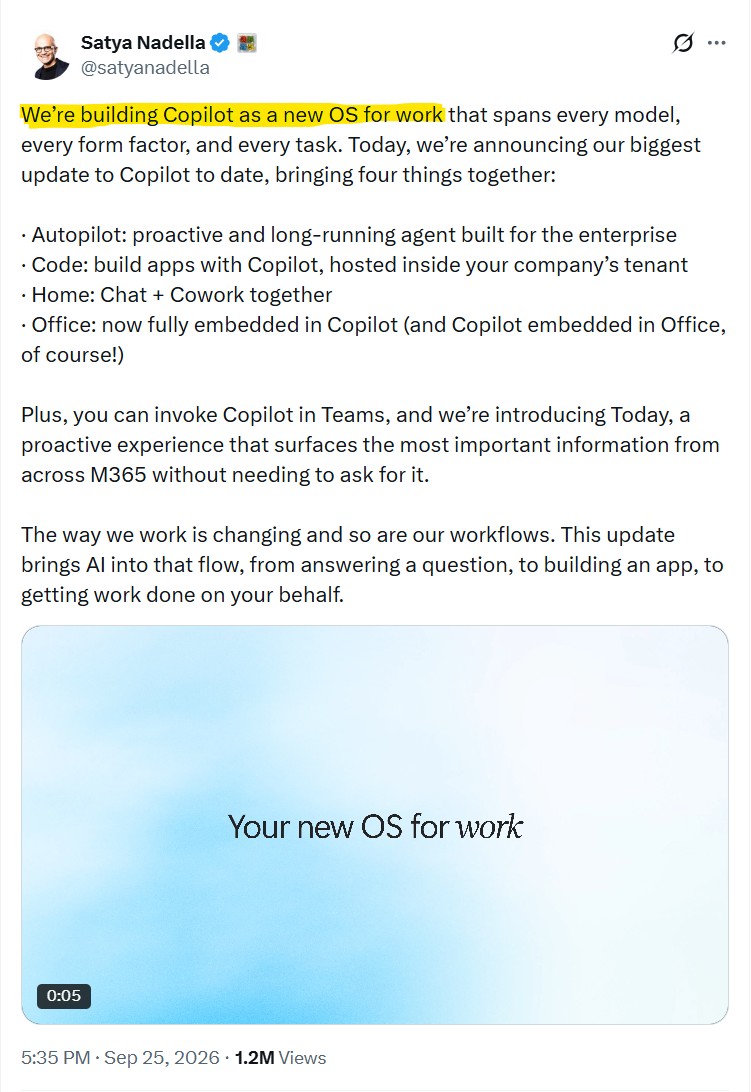
Satya Nadella says Copilot is a “new OS for work”
Without mentioning Windows 11 even once, Nadella says: “We’re building Copilot as a new OS for work that spans every model, every form factor, and every task.”
Yes, the new Copilot update is massive, and it’s not a chatbot anymore. But why mention it as an OS? Well, Microsoft believes that, just like an OS, the Copilot app, with its four new big additions, can essentially be the one-stop destination to get your work done.
Home will have your recent activity, suggestions, and a way to resume work already started. Chat is where you can ask quick questions and draft; Cowork handles delegated, multi-step work, and Microsoft says Copilot will eventually route a request between Chat, Cowork, and Code automatically instead of making you pick the mode yourself, which is huge if true!
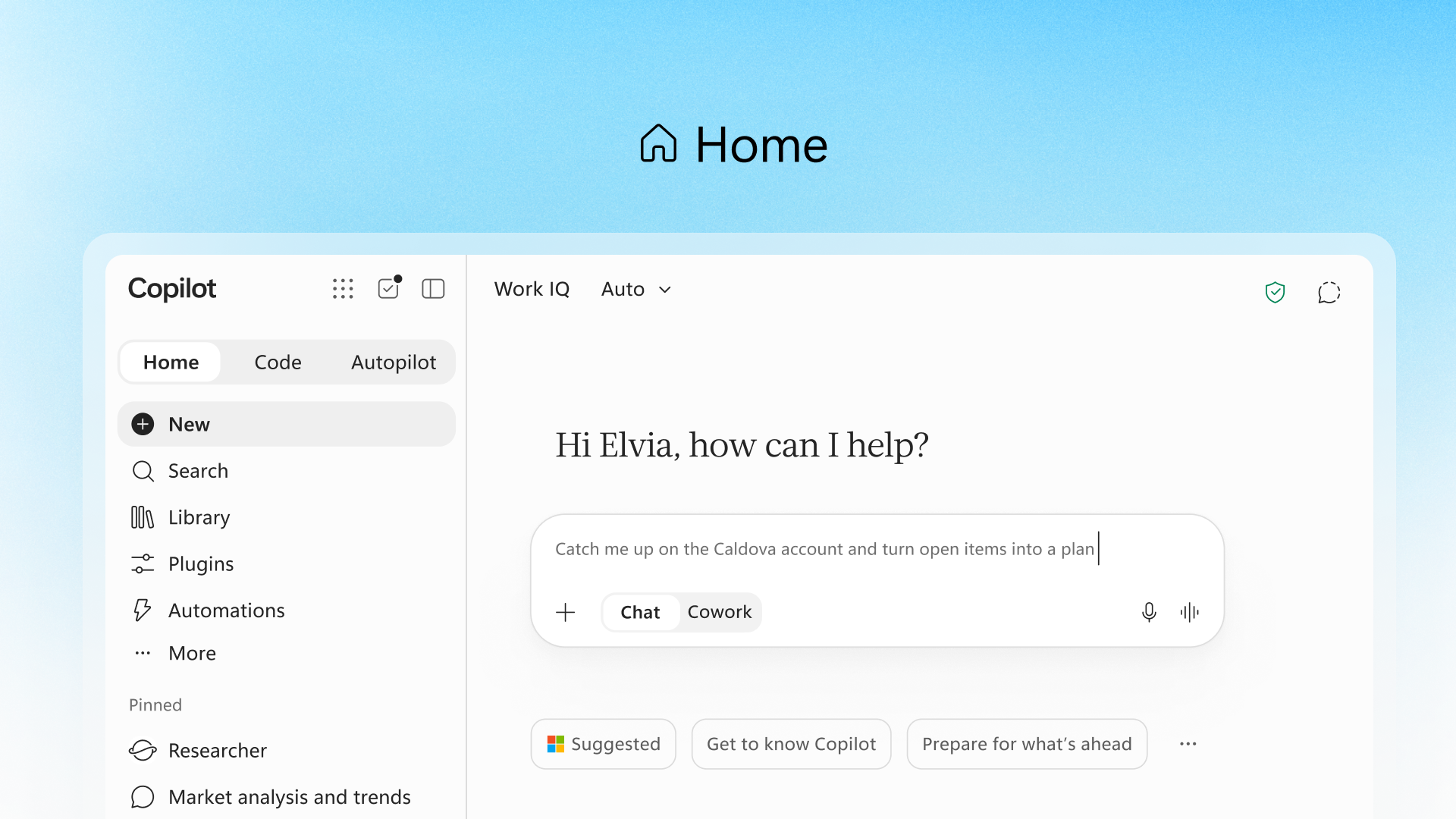 New Home page on Copilot. Image: Microsoft
Word, Excel, and PowerPoint are full apps inside Copilot. Whatever changes you make to any document or spreadsheet will be synced with the normal Office apps, and colleagues can keep editing the files as usual.
Home also gets Today, which shows relevant emails, meetings, Teams conversations, and tasks without you asking. This is what I always had in mind when thinking about an AI assistant.
https://www.windowslatest.com/wp-content/uploads/2026/09/Home-in-the-new-Copilot-app.mp4Code turns Copilot into an app builder
Microsoft is not positioning the new Copilot Code feature for programmers only. The idea is that you can describe an app, tracker, dashboard, or workflow in plain English, and Copilot builds it.
Until now, to share an idea, we used to create documents, spreadsheets, and presentations. They are a part of our muscle memory. Now, with Code, Microsoft expects us to add a fourth object by giving us the ability to create small applications built for specific jobs, like desktop widgets for quick reference or interactive dashboards.
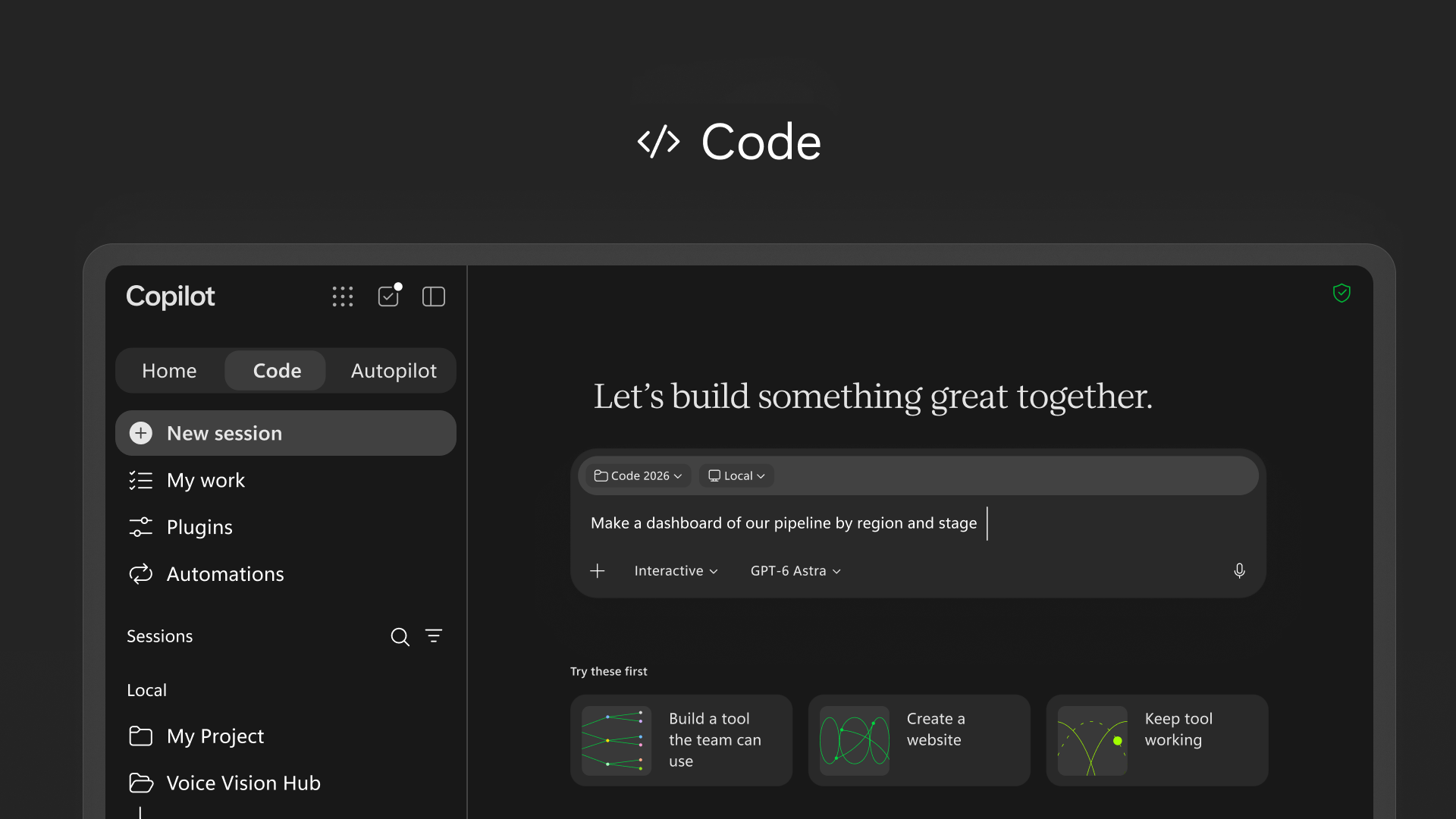 Code in new Copilot app. Image: Microsoft
Code runs on the same technology powering GitHub Copilot, executes inside a sandbox, and can be hosted inside a company’s own tenant through Copilot Managed Runtime. Microsoft IQ supplies business context, and plugins connect the app to relevant company data.
When Microsoft’s Distinguished Engineer David Fowler said “typing code is absolutely over”, this was where it was headed. Microsoft is making it as easy as possible for anyone, and we recently spotted them letting Copilot scaffold native WinUI apps in about 30 minutes.
https://www.windowslatest.com/wp-content/uploads/2026/09/Code-in-the-new-Copilot-app.mp4Of course, we have to take everything with a grain of salt, because even as Microsoft says Code “lets everyone build their own solutions,” access is still rolling out, and we don’t have testing data yet.
Autopilot is like a colleague
Autopilot was previously called Scout, which Microsoft introduced at Build. You can give an Autopilot a name, a role, and a goal, and it can monitor channels, follow up on conversations, run recurring work, and pick a project back up days later.
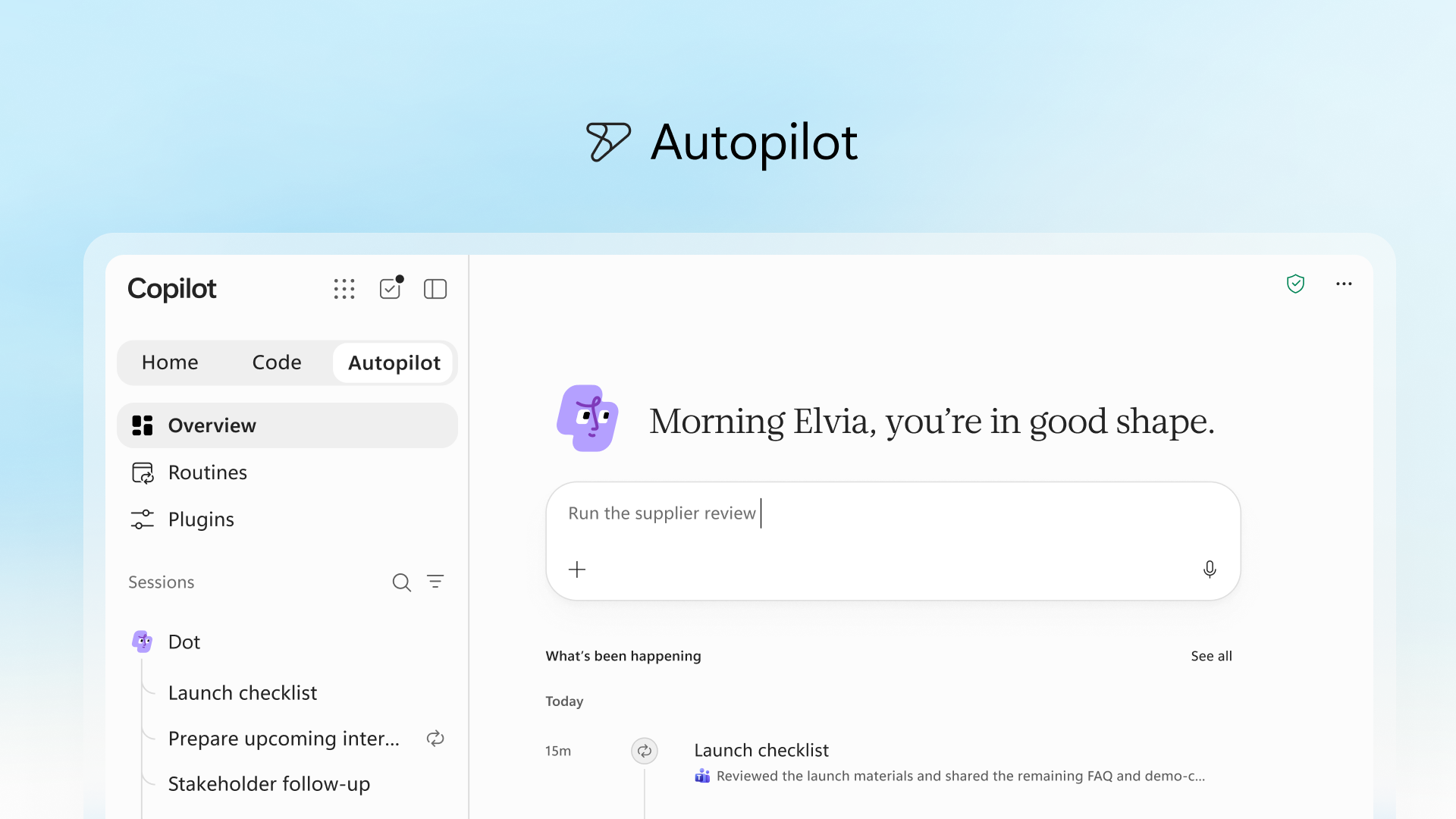 Autopilot in the new Copilot app. Image: Microsoft
Note that Autopilot runs in the cloud inside a company’s Microsoft 365 environment, with its own identity, memory, computer, and workspace. It can appear in Teams, Outlook, channels, and documents, and gets tagged like a colleague, with permissions, auditing, and governance, all under the organization’s control through Agent 365.
Autopilot grew out of Microsoft’s work on OpenClaw, the open-source personal AI agent that went viral earlier this year. Funnily enough, Nadella once compared it to “a virus”
https://www.windowslatest.com/wp-content/uploads/2026/09/Autopilot-Agent-in-Copilot-app.mp4With Autopilot, though, Microsoft is taking the useful idea behind persistent personal agents and allowing enterprises to properly govern it.
Microsoft was racing the clock to ship the new Copilot app before September ended
At Build 2026 in June, Nadella said Microsoft would bring Chat, Cowork, and Code together in one Copilot super app by summer.
On the July 29 earnings call, he told investors the pieces would come together this quarter, which ends September 30. Sure, the September 25, Friday announcement met the deadline, but most of what got announced is still arriving in pieces.
Code expands within Frontier at the end of the month, Autopilot enters private preview at the end of September, and Office in Copilot rolls out to consumers and Frontier customers in the coming weeks.
Copilot now has a new pricing model because autonomous AI costs more
If you want to know how much the new Copilot experience costs, start with finding how much of it you’ll need, because Copilot now bills two different ways.
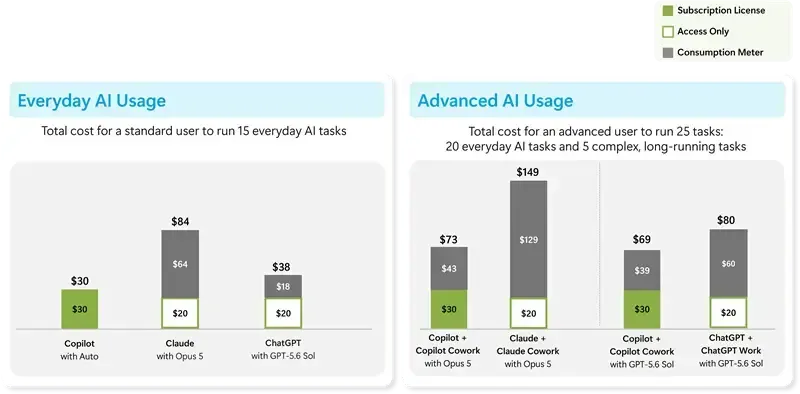 New pricing models for the updated Copilot experience. Image: Microsoft
Usage-based services are off by default, and admins can set spending limits through Microsoft’s FinOps tools. The company is moving to a pay for the work the agent performs model, which is what Nadella previewed on the July earnings call.
Microsoft is finally catching up with the AI apps that stopped being chatbots
In less than 2 years, the AI industry has already moved fast in this direction. OpenAI’s Codex now supports long-running coding work and multi-agent workflows through its Agents API. Anthropic added Cowork and Claude Code, with Claude able to work across Word, Excel, PowerPoint, and other business files.
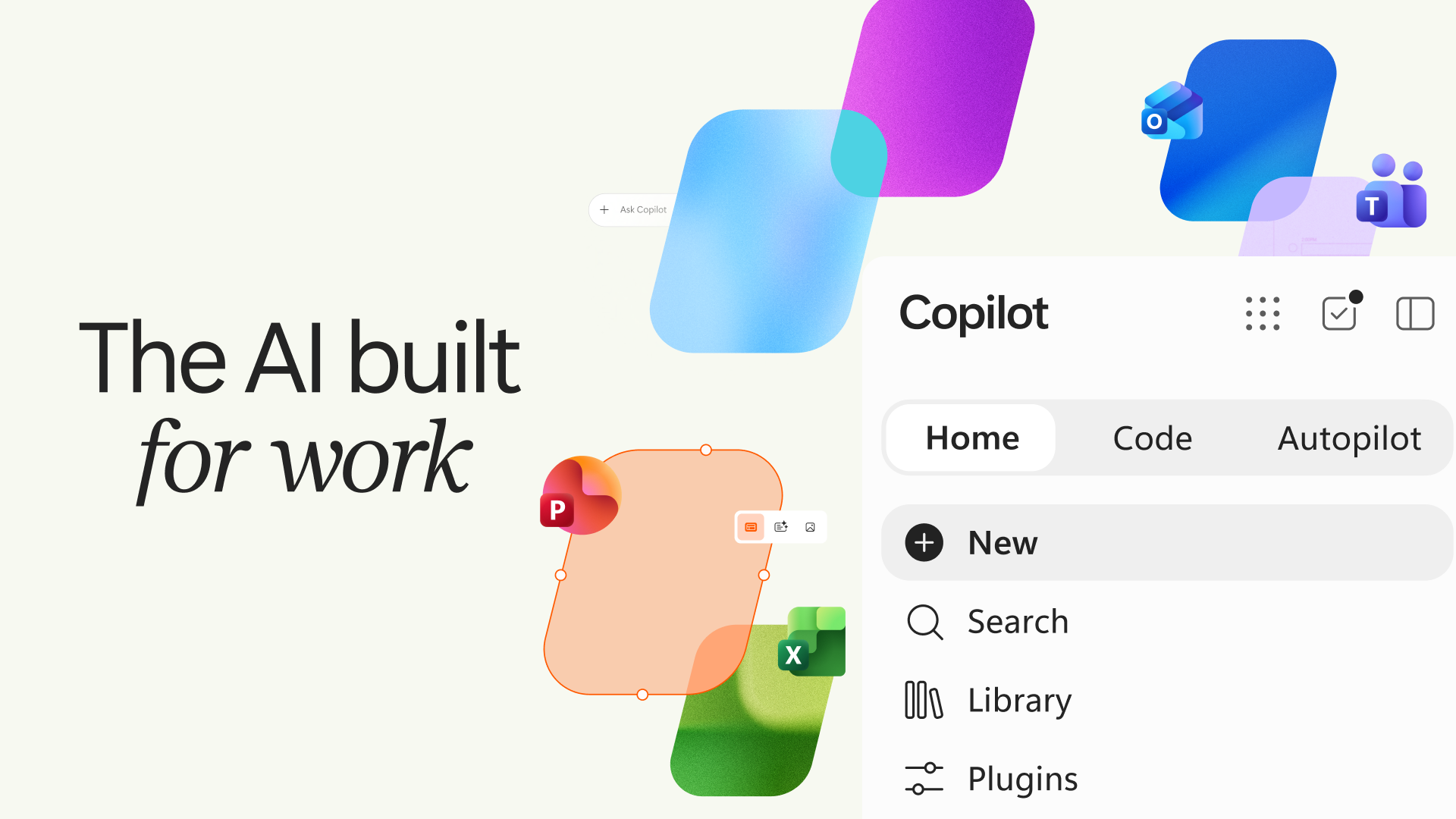 The new Copilot super app experience. Image: Microsoft
Even Google pushed Gemini toward computer use and background agents, with more to come as they bet on the new Googlebook laptops, which also featured Microsoft Copilot.
Interestingly, Microsoft was early to the AI assistant race but took the biggest brunt of the blame, leading to worldwide backlash. A user commented the same concerns I have: “You’ll be first to adopt every new technology but scaling it always proves a problem.”
Microsoft’s new OS for work isn’t Windows 12
I didn’t find any mock-up with the Windows 11 UI in the whole Copilot announcement. What changed here is that Microsoft replaced the existing chatbot-style Copilot application with Home, Code, Autopilot, and Office integration.

There is no OS here, but if you fancy seeing one, the leaked Project Aion was a Copilot-centric OS concept Microsoft explored in 2024, running on a stripped-down codebase called Win3 with no Start menu, no desktop icons, and a shell built inside a modified version of Edge.
Microsoft is trying to change what people think an AI application is. And surprisingly, Satya Nadella’s post didn’t see a backlash like the company’s posts used to get about a year ago.
What do you think about “Copilot” now?