“Sort of a feature,” Microsoft on why Ctrl+C fails on Windows 11 due to a design choice for Clipboard history
 Raymond Chen explains why Ctrl+C sometimes fails to register, and why Microsoft built it that way. Credit: Windows Latest
 Pressing Ctrl+C once and having it fail to copy anything isn’t a bug you imagined. Microsoft’s clipboard history service listens for changes asynchronously, which means a second copy can happen before the system finishes logging the first one. The company calls this design choice intentional, at least for the Clipboard history integration.
Like most of you, I have the habit of pressing Ctrl and C multiple times just to be sure something copied, and that habit hasn’t gone away even on Windows 11. Pressing it once should be enough, but it doesn’t always work, and for the longest time I assumed it was just me being paranoid. Turns out plenty of people have the same reflex.
 Ctrl+C in Windows 11. Credit: Windows Latest
A meme from PC Master Race on X poking fun at people who mash Ctrl+C multiple times before pasting went viral just yesterday. Epic Games CEO Tim Sweeney replied, tagging Microsoft’s Pavan Davuluri: “Nobody understands why pressing control-c once doesn’t always work, and it frustrates 99.99% of all Windows users.”
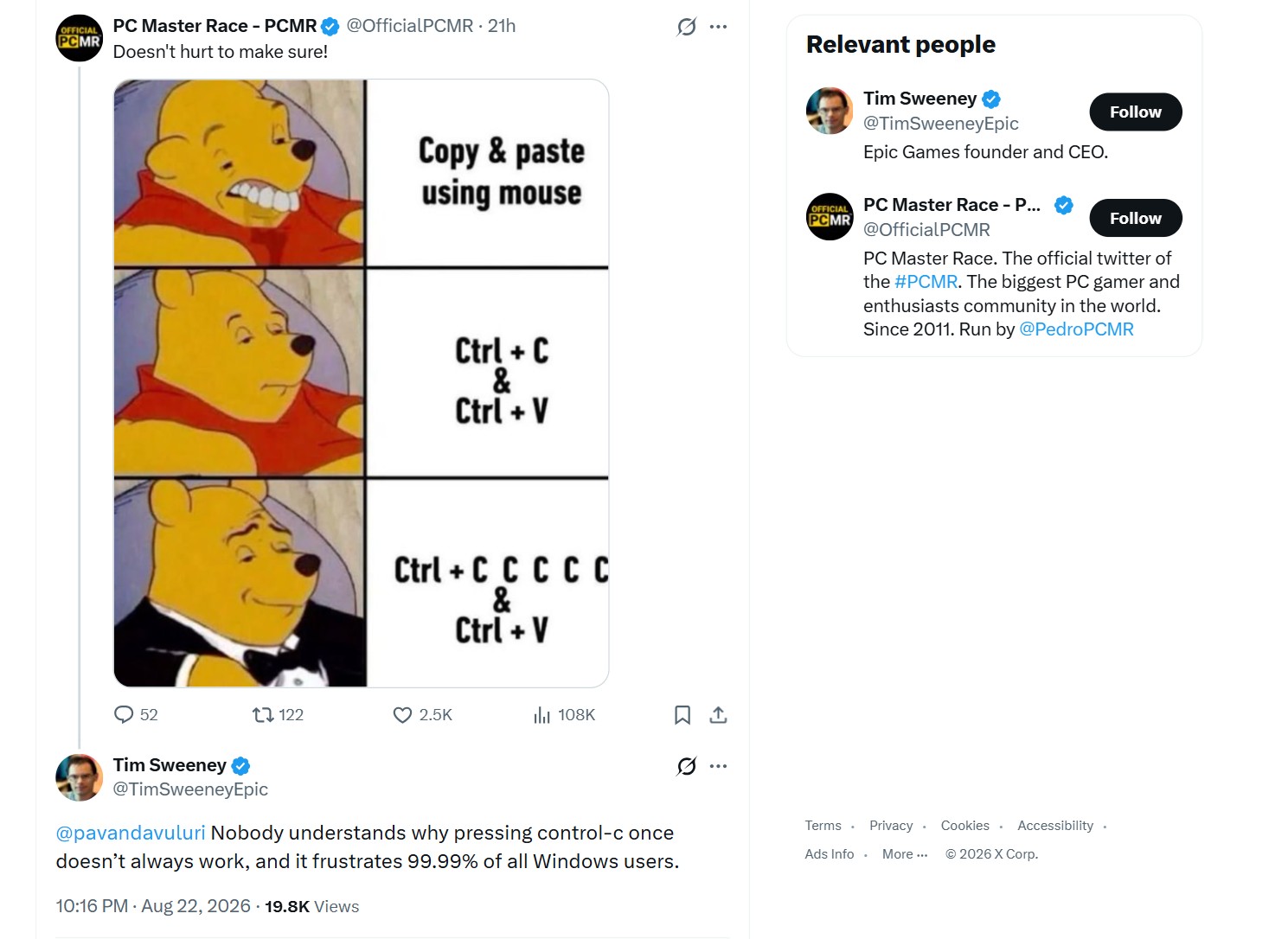 Ctrl + C meme in Windows. Image: Screenshot by Windows Latest
Davuluri hasn’t responded as of writing. However, we found that Microsoft’s Raymond Chen, a senior software engineer who has worked on Windows for more than three decades, already answered the question to some extent, making this as official as it gets.
Why Ctrl+C can fail to copy anything at all
As you know, when you select something and press Ctrl+C, the content gets copied to the clipboard, which is a shared resource, and Windows only lets one program hold it open at a time.
If a program calls OpenClipboard and then doesn’t call CloseClipboard, either through a bug or because it crashed mid-operation, every other app trying to copy or paste is locked out until that program releases the clipboard or gets closed.
The function fails if another window already has the clipboard open, without an option to retry it.
Chen confirmed it back in 2008, describing a Windows user who copies something, finds it is not there, then tries to paste and gets nothing back. His explanation was that the clipboard had been locked by another running program.
Chen named the Remote Desktop clipboard redirector, rdpclip.exe, as a repeat offender, along with certain Virtual PC clipboard integration tools of that era. They were not doing anything malicious, but opened the clipboard to sync content between a host and a guest session, then failed to let go of it, and every other program’s Ctrl+C stopped working until that specific process got killed or restarted.
This still shows up on Windows 11 today, just with a rotating cast of culprits. Users troubleshooting the Ctrl+C issue on Microsoft’s forums have pointed fingers at background utilities like Intel Arc Control and HP Smart, both known for running clipboard-like services we didn’t ask for.
The fix hasn’t changed since Chen’s explanation. Open Task Manager and start closing suspicious background apps one at a time until copy and paste comes back to life.
In short, what happens here is Ctrl+C fails to copy because Windows cannot open the clipboard long enough to write your new content into it. However, this is completely different from what happens with Clipboard History.
Why Windows clipboard history misses rapid Ctrl+C presses
In 2025, Microsoft’s Raymond Chen walked through a sample program that copies three separate strings to the clipboard one after another, intending to preload all three into Clipboard History for quick access later. Only the last string ever makes it in.
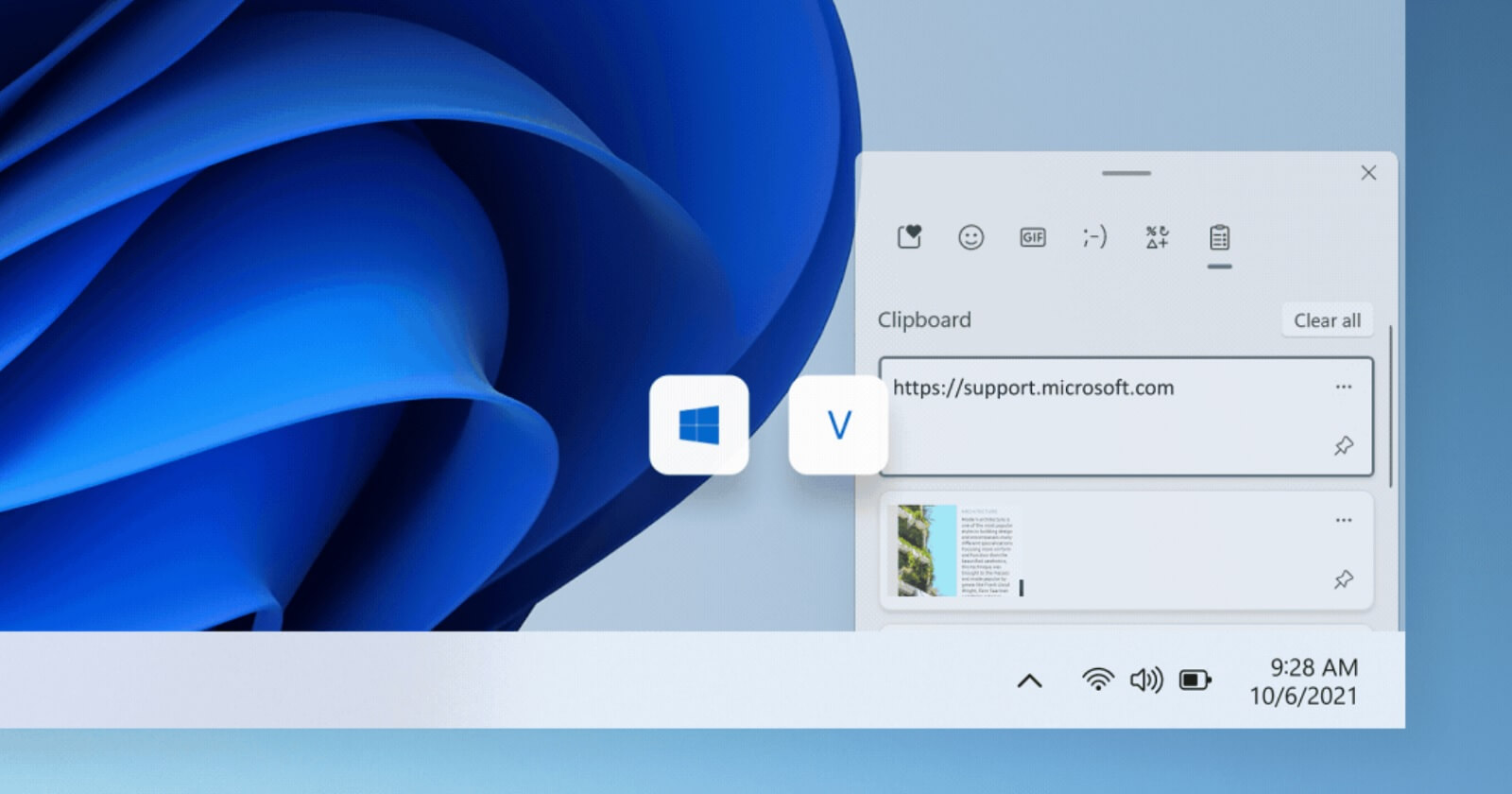 Windows 11 Clipboard. Image: Microsoft
The clipboard history service listens for changes through a Windows function called AddClipboardFormatListener, which notifies a program only after the clipboard has already changed. Chen explained that this notification arrives asynchronously, so by the time the history service is told about the first copy, the clipboard may have already changed a second or third time. The service ends up recording only whatever is there on the clipboard at the moment it checks, not everything that passed through it.
The older clipboard viewer system wasn’t like this, as it got notified the instant the clipboard changes. Chen noted that synchronous notification comes with a real cost. A program that misbehaves while shown a clipboard update can freeze or slow down the clipboard for every other app. Async notification doesn’t face this issue, but at the cost of missing rapid intermediate Ctrl+C presses.
Chen called this a feature, not a flaw. In his words, missing every small clipboard change is “sort of a feature of the clipboard history service,” because content that only stays on the clipboard for a fraction of a second is not around long enough for a person to paste it anyway. Only the final value counts from the perspective of someone using Ctrl+V, so the service just mirrors what a human would see on the clipboard.
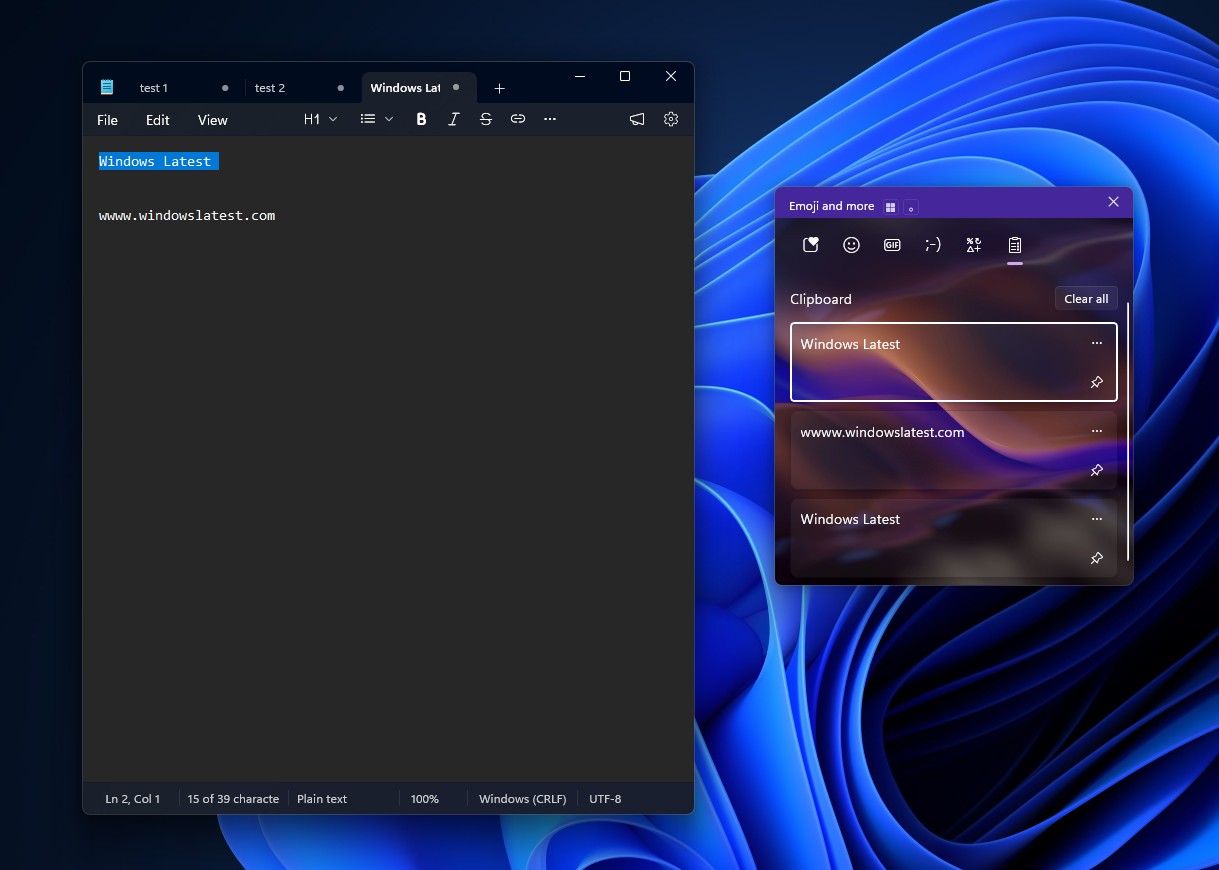 Clipboard History in Windows 11. Credit: Windows Latest
Chen’s explanations frequently get comments, but the ones under this explanation were pushback, with one calling the whole idea of preloading the clipboard “horrible” since it uses the clipboard for something other than manual copy and paste.
Chen defended with a real-world example of a doctor’s office moving patient data from a referral system into a separate scheduling system, where writing a small tool to queue up several fields for pasting beats clicking through the same fields twenty times by hand.
Microsoft explained how developers can work around the async delay
In a follow-up the next day, Chen showed how a program can wait for each clipboard change to register before making the next one. The trick depends on the Clipboard.HistoryChanged event from the WinRT clipboard API, which fires whenever the history service finishes processing a change.
The sample code sets up a dispatcher queue to act as a UI thread, since the WinRT clipboard APIs require one, then creates a Windows event object that gets signaled every time HistoryChanged fires. After writing each string to the clipboard, the program waits on that signal before writing the next one, guaranteeing the history service has caught up before moving on. Chen mentioned this as only a sketch of a full solution, since a user manually clearing their history mid-run would leave the program waiting for a non-occurring event.
This asynchronous handoff is also, oddly enough, the mechanism that lets Microsoft Azure CTO Mark Russinovich run DOOM inside MS Paint, pasting one rendered game frame after another through the clipboard fast enough to look like real gameplay. Russinovich has said an early build of that project ran into the identical race condition Chen described, with new frames overwriting old ones before Paint had finished reading them.
https://www.windowslatest.com/wp-content/uploads/2026/08/DoomPaint-is-pasting-overlapping-screenshots-continuously-into-Paint.mp4Windows 11’s Clipboard History has other quirks too
Clipboard History is something I use daily. After Ctrl+C, I press Win+V to check which item I need before pasting, since more than one thing tends to be there by then.
The rapid-copy issue isn’t the only reason Clipboard History can feel unreliable. Windows Latest reported that some apps use delayed rendering, where a program tells Windows it can supply clipboard data without handing it over immediately, and Windows waits up to 30 seconds for that data to show up. If you copy a large Rich Text table out of Excel, the app may just run past that window, leaving Clipboard History empty or stuck showing old content.
 Windows Clipboard history empty. Credit: Windows Latest
Of course, these issues aren’t because this is Windows 11, as the internet thinks. A 2011 finding from Chen (a decade before Windows 11) described the older clipboard viewer chain as fragile by design, since one misbehaving app in the chain could break notifications for every other app checking the clipboard, or even create an infinite loop.
Chen recommended AddClipboardFormatListener as the fix back then too, along with a lesser-known option called the clipboard sequence number, a counter Windows increments every time the clipboard changes, which programs can poll instead of waiting for a notification.
With that said, Pavan Davuluri isn’t one to shy away from replying, and considering that Windows 11 is being fixed in 2026, even for smaller things like a new mouse pointer indicator, maybe we might get a fix for Ctrl+C failing often. But even if that happens, I’m almost certain that my 20-year Ctrl+ c c c c c habitual action will not be going away soon.
How do you handle Copy and Paste in Windows 11?