Windows 11’s useless Copilot key finally does something, you can map it to right-click
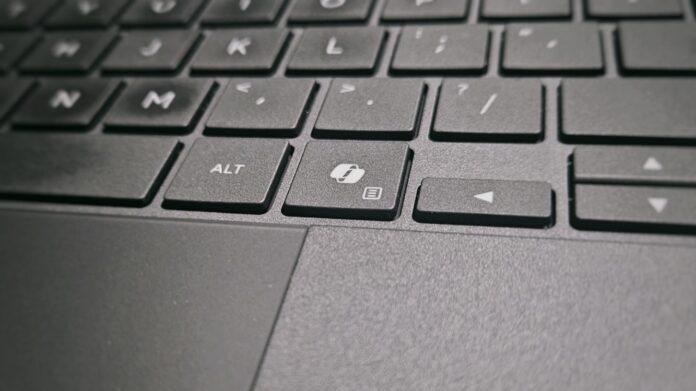 You will soon be able to remap Copilot key to open Context Menu or Right Ctrl
 If you are in the majority who despise the Copilot key on your new Windows PC, you’ll be happy to know that the latest Windows 11 Release Preview update adds a setting that lets you remap the dedicated Copilot key to either the Right Ctrl key or the Context Menu key.
Microsoft has shipped it in Release Preview Build 26100.9539 for 24H2 and 26200.9539 for 25H2, released on September 10, 2026, which also includes major Bluetooth fixes in Windows 11.
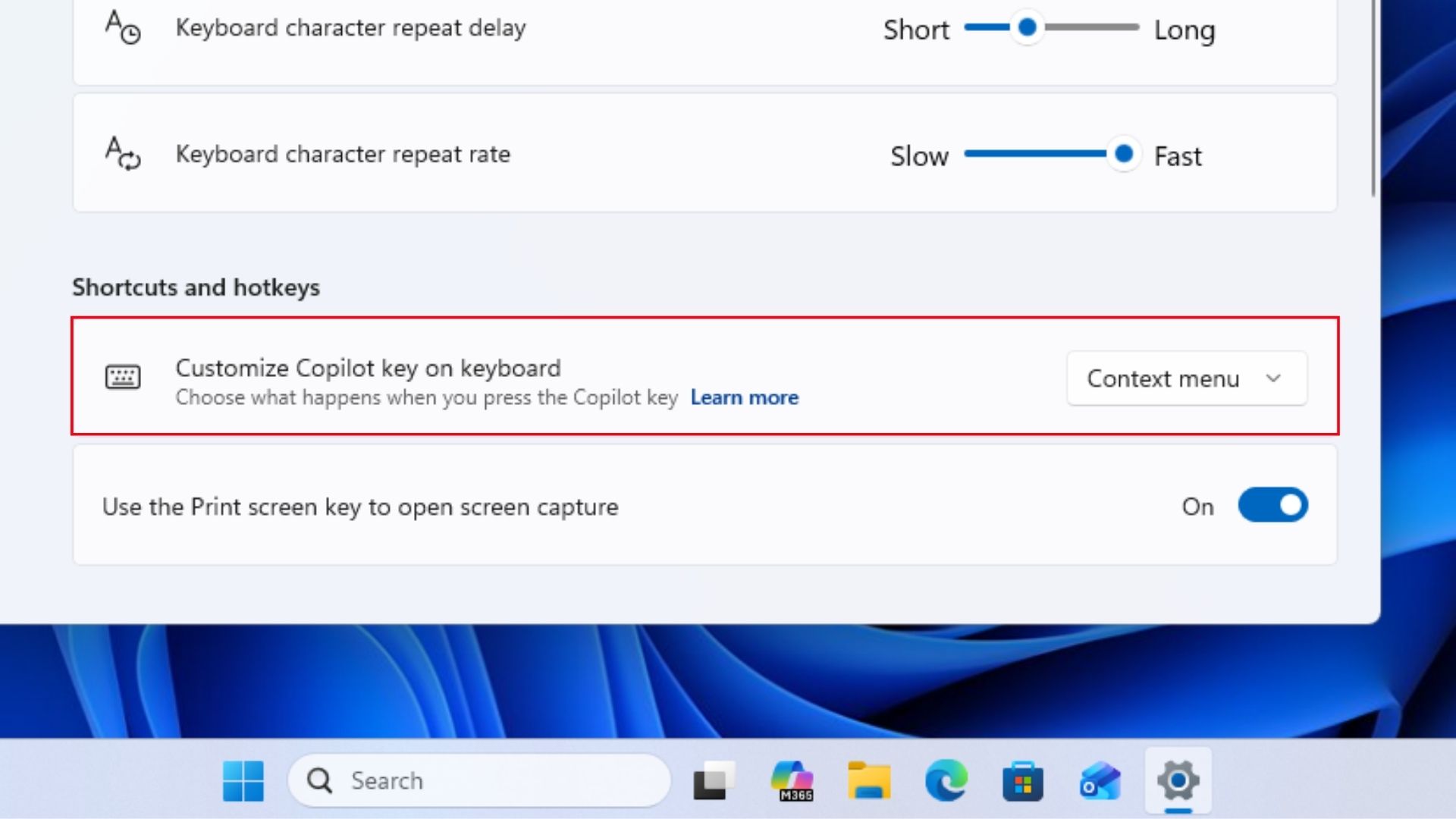 Customize Copilot key to open Context menu. Credit: Windows Latest
In January 2024, Microsoft officially introduced the Copilot key to mark the beginning of an AI era that went down in the worst way possible. While it’s easier to remove Copilot buttons in Windows 11, the same can’t be said about physical buttons, and it doesn’t look like Microsoft wants to anyway, even though they now made the Copilot key customizable.
But it seems, though, that their social media team didn’t get the memo, as we recently reported about how the company bragged on Facebook that the Copilot key has main character energy on Windows 11.
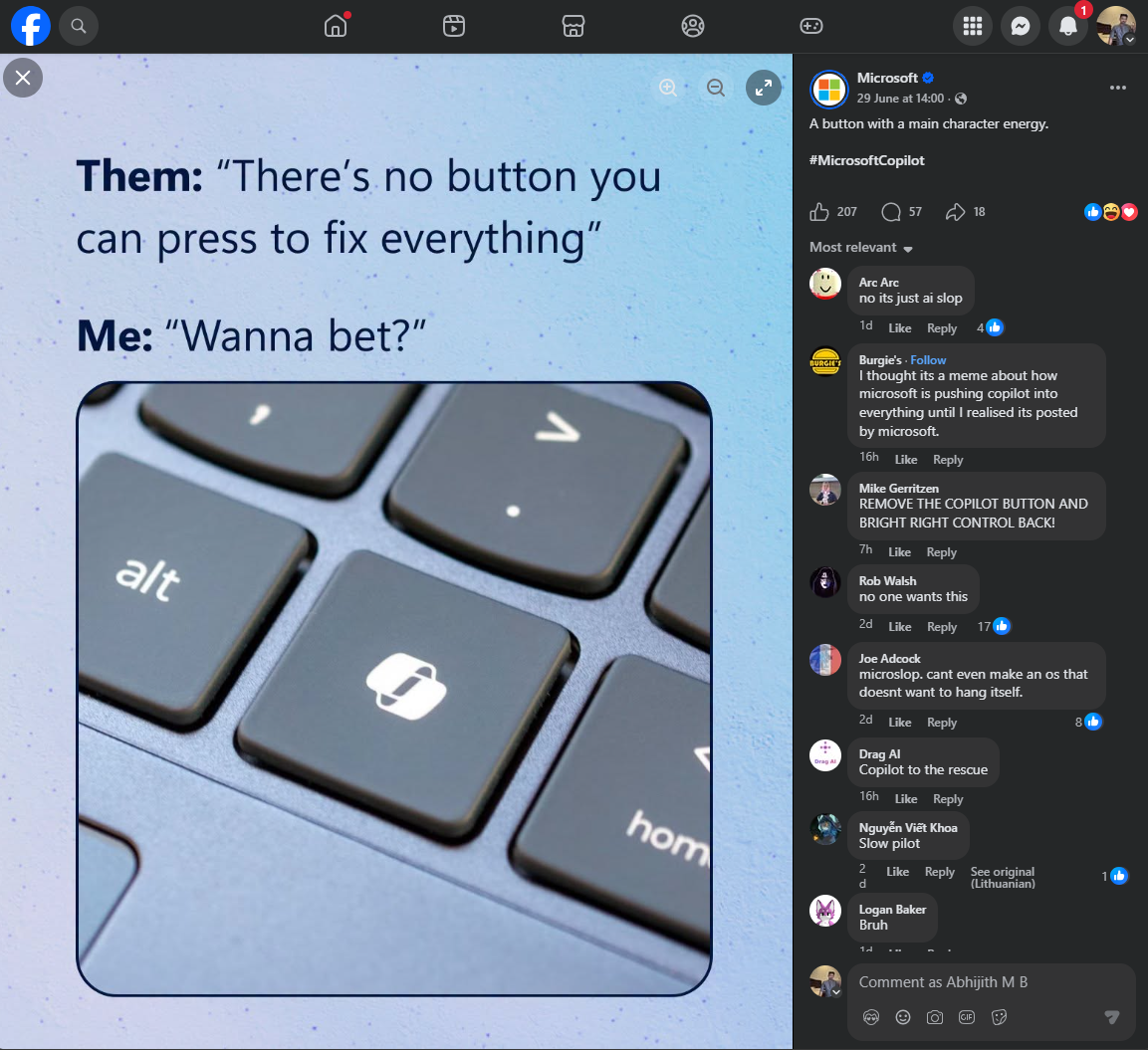
Windows 11 can finally turn the Copilot key into the Context Menu key
The new option is under Settings > Bluetooth & devices > Keyboard, and it lets you configure the physical Copilot key to behave as Right Ctrl or the Context Menu key instead. Microsoft’s release notes describe this as helping “preserve familiar keyboard shortcuts and accessibility workflows.”
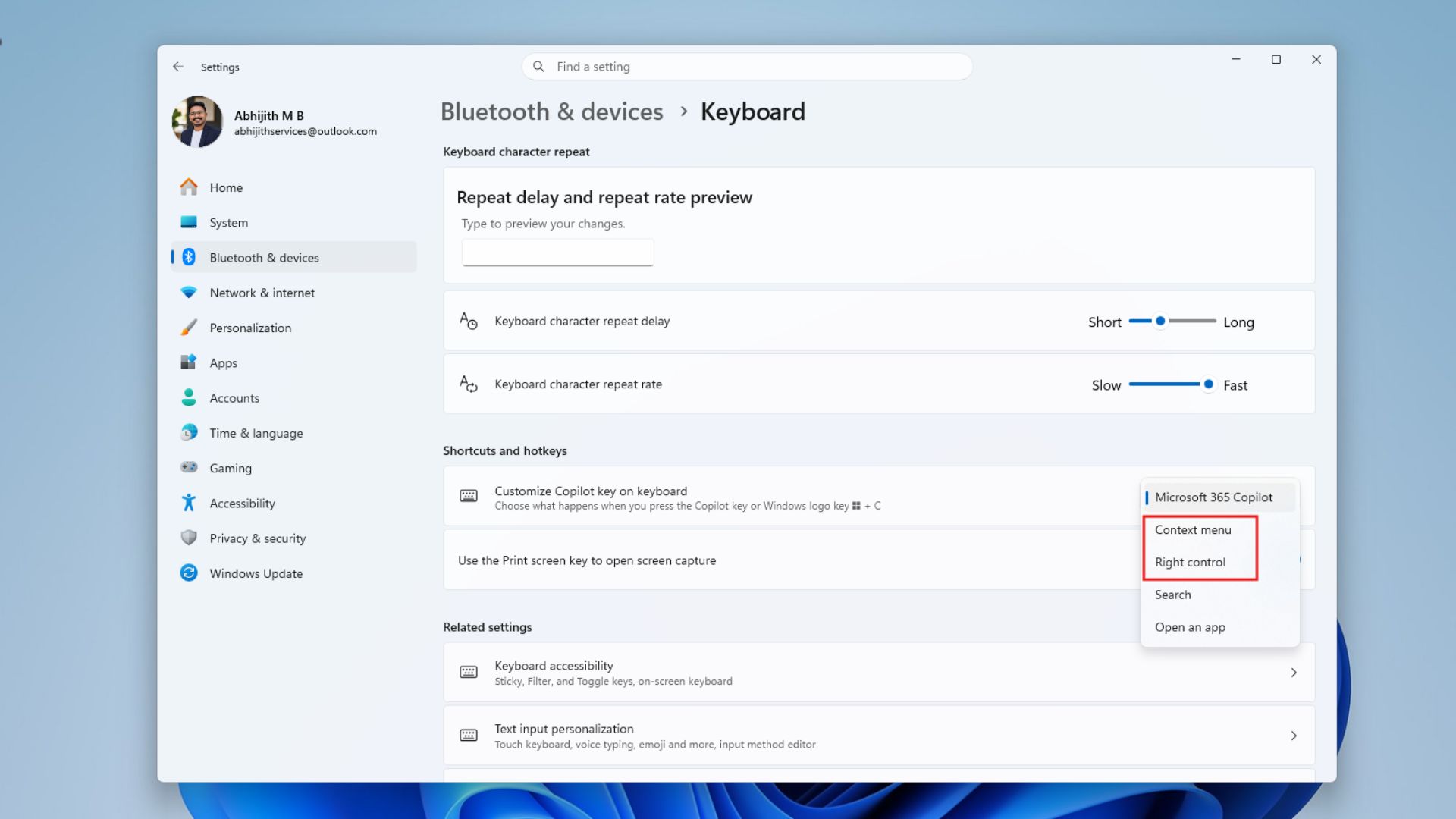 New option in settings that allows Copilot key to be customized to open Context menu or Right Ctrl. Credit: Windows Latest
For anyone unfamiliar, the Context Menu key is the keyboard equivalent of right-clicking, opening the contextual menu for whatever’s selected without reaching for a mouse. On a laptop where the OEM was forced to swap that key out for Copilot, this setting gives you a way to get it back.
Note that it’s a Context Menu function, not a literal mouse right-click.
The feature is currently in Release Preview, which means it’s coming to all PCs in the October 2026 Patch Tuesday mandatory update, and of course, this month’s optional update.
Microsoft admits the Copilot key caused problems
Microsoft’s support documentation is unusually honest here. It confirms hardware manufacturers began shipping dedicated Copilot keys in 2024, and that the key sometimes replaced the Right Ctrl or Context Menu key on the keyboard.
“Customers who rely on the Right Ctrl key or Context menu key for keyboard shortcuts or assistive technologies (such as screen readers) experienced some challenges to their workflows when using these devices.”
Redmond doesn’t call the key useless or admit it was a mistake; that’s what we think, not Microsoft. The company is sticking with talks of productivity, accessibility, and giving customers more choice.
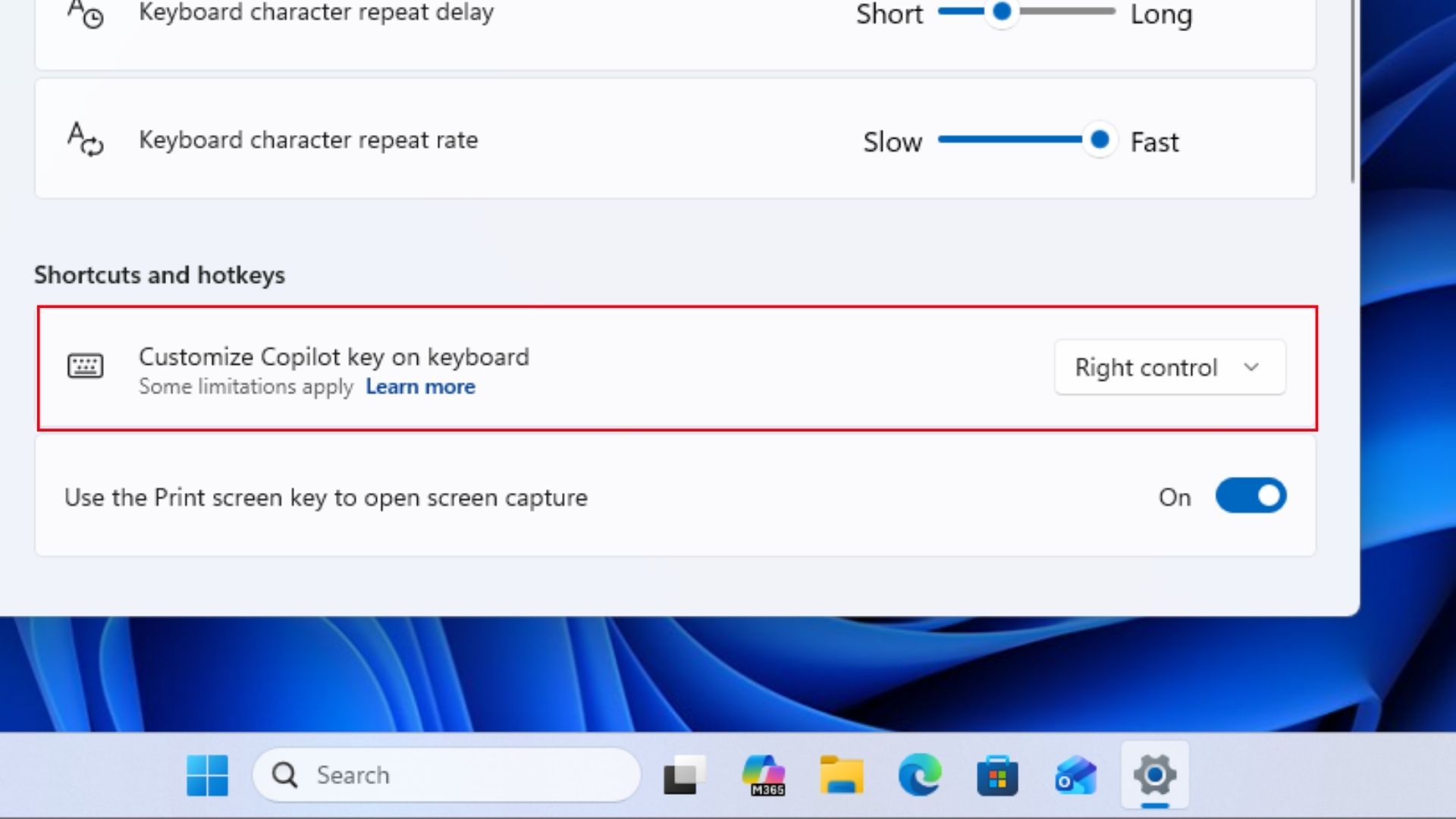 Copilot key customized to open Right Control. Credit: Windows Latest
But a strange caveat is that if you set the Copilot key to Right Ctrl, then shortcut combinations using RCtrl+Win and RCtrl+Shift stop working normally, so Microsoft recommends Left Ctrl for those instead.
Implementations also vary by keyboard layout, manufacturer, firmware, and hardware design, and if your device already has its own remapping tool, the software giant says to use either that or the new Windows setting, never both.
Microsoft has been trying to figure out what to do with the Copilot key for years
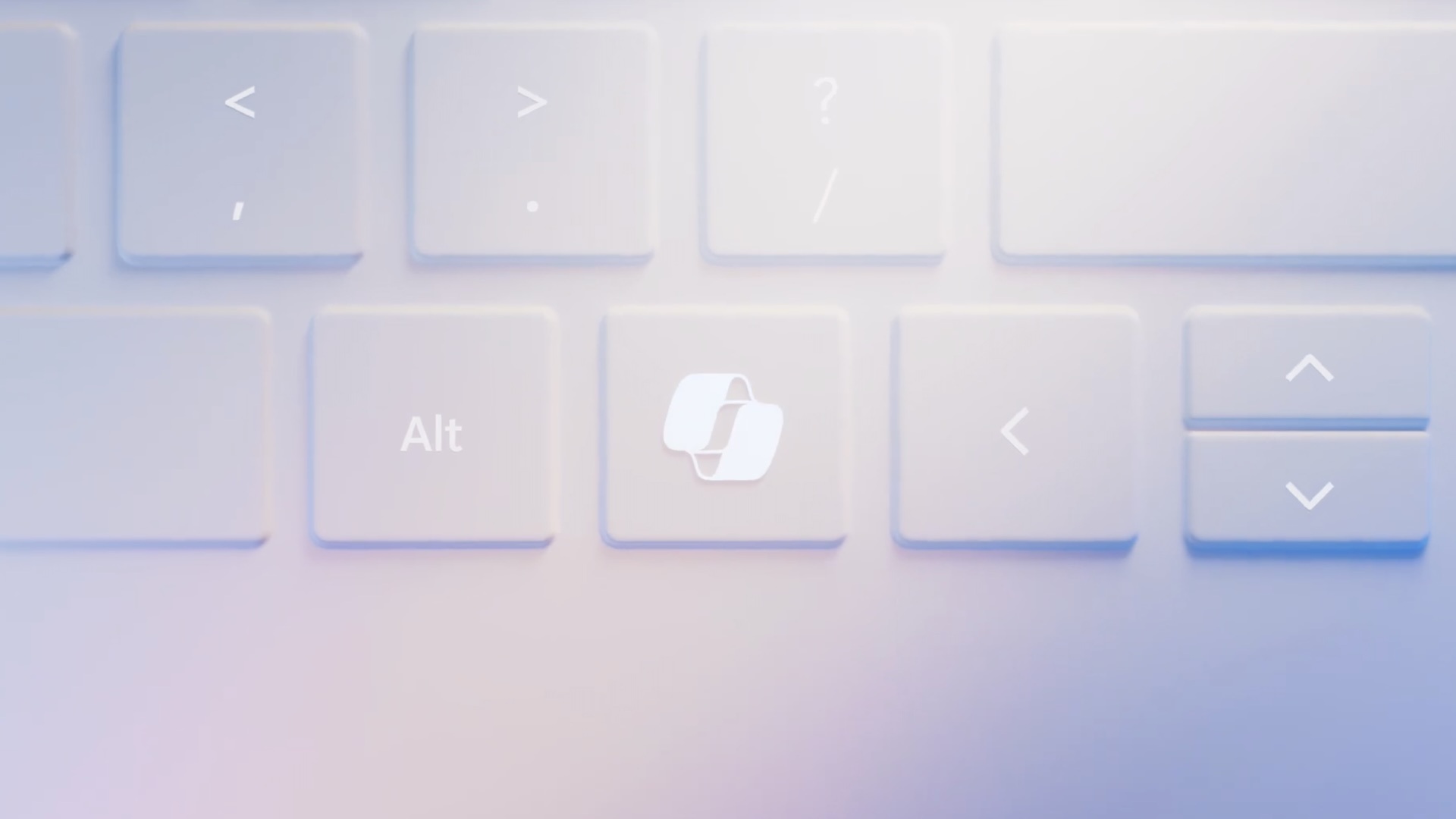
Microsoft introduced the Copilot key in 2024 as a major keyboard change, pitched as a dedicated entry point to Copilot. However, the experience of using it kept changing over the years.
- In November 2024, Windows 11 first let users customize the Copilot key to launch Search or supported apps with the mandatory update KB5046617 for 24H2 and KB5046633 for 23H2.
- By December 2024, Windows Latest reported that Microsoft didn’t seem to know what to do with the key anymore, as Copilot’s sidebar integration changed to a web app.
- In February 2025, we reported Microsoft’s plan to map the key to the Context Menu function, based on evidence from a Windows reverse engineer, not an official confirmation.
- Microsoft made it official in June 2026, explaining that the key could disrupt productivity and accessibility workflows and promising the Right Ctrl and Context Menu options.
- In July, Insider builds showed a “Do nothing” option for the Copilot key.
- Now, in September 2026, it’s in Release Preview.
- Coming October 12, 2026, your Windows 11 laptop will receive the ability to remap the Copilot key to the right-click menu or Right Ctrl.
The Copilot key is becoming a normal Windows key again, but…
Microsoft hasn’t removed Copilot from the key. Its support documentation says it remains committed to giving customers choices for how the key functions; the physical key stays put. So, manufacturers may still have instructions from Redmond to continue printing the Copilot logo on their keyboards.
That said, Copilot recently got a logo change, and that means two things:
Microsoft wanted the Copilot key to make AI feel like a fundamental part of Windows. A couple of years later, one of the most useful things you can do with that key is turn it back into a keyboard function that’s existed for decades.